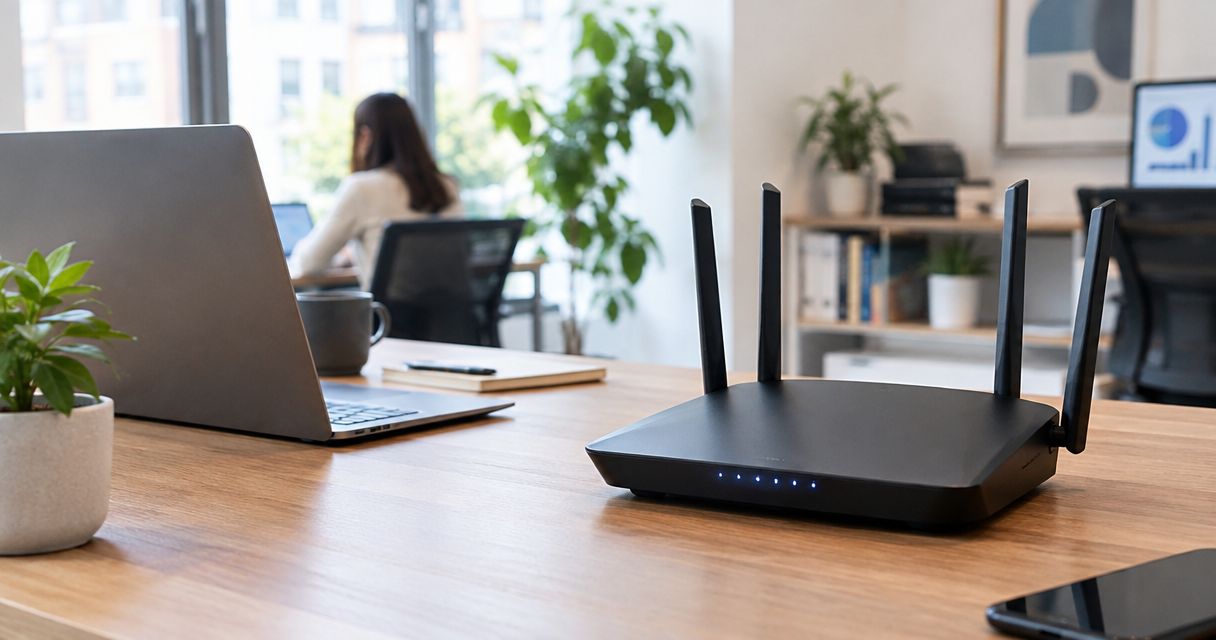

Best overall for straightforward app-led setup: eero 6+. Best for wired rooms: TP-Link Deco X55. Best for dedicated wireless backhaul: NETGEAR Orbi RBK852. Best for browser-based controls: ASUS ZenWiFi XT8. This 2026 guide compares the best mesh wifi systems for home network setup by installation requirements, connection layout, and everyday management—not advertised coverage alone.
- Among the best mesh wifi systems for home network setup, eero 6+ is the default for straightforward app-led installation.
- TP-Link Deco X55 suits wired rooms; NETGEAR Orbi RBK852 suits a dedicated wireless-backhaul layout.
- ASUS ZenWiFi XT8 suits homeowners who want browser-based network controls.
- Tabler's Computer Repair provides remote and on-site IT support for homes in North County San Diego and the Inland Empire.
Why this matters
A mesh system connects access points so your devices can use Wi-Fi across different rooms. Its performance still depends on where you place those units and how they connect to each other. Adding another node does not fix a weak connection between existing nodes.
Choose the connection layout before choosing the mesh kit. An Ethernet connection between nodes changes the buying decision more than a large coverage claim on a box.
For help with your home network setup, Tabler's Computer Repair provides remote and on-site IT support. You can seek assistance with the existing network before deciding whether replacement hardware is necessary.
What makes the best mesh Wi-Fi system?
Use these criteria to choose your 2026 setup:
- Backhaul connection: Determine whether nodes will communicate over Ethernet or Wi-Fi. Backhaul carries traffic between mesh units.
- Installation method: Decide whether you want phone-app setup or access to browser-based settings.
- Ethernet ports: Count wired devices and the cables needed to connect nodes. A backhaul cable occupies a port.
- Gateway compatibility: Establish whether your internet provider's equipment will remain the router or whether the mesh system will take that role.
- Placement flexibility: Choose locations with a useful connection upstream, not simply the rooms where reception disappears.
- Management requirements: Check account requirements, security settings, updates, and any features tied to an optional subscription.
All four systems below use Wi-Fi 6. They operate on 2.4 GHz and 5 GHz; none adds a 6 GHz network. Wi-Fi 6 and Wi-Fi 6E are not interchangeable names.
Best mesh Wi-Fi systems at a glance
| System | Best for | Standout feature | Key limitation |
|---|---|---|---|
| eero 6+ | Straightforward app-led setup | Guided app management and Ethernet backhaul support | No dedicated wireless-backhaul radio |
| TP-Link Deco X55 | Rooms with Ethernet connections | Three Gigabit Ethernet ports per unit | Dual-band wireless operation shares radio capacity with backhaul |
| NETGEAR Orbi RBK852 | Dedicated wireless backhaul | Separate radio for communication between router and satellite | Requires attention to compatible Orbi satellites |
| ASUS ZenWiFi XT8 | Browser-based network controls | Web administration and configurable backhaul | More settings to understand and maintain |
The distinction is not that one system fixes every home. Each recommendation answers a different installation problem.
1. eero 6+: best mesh Wi-Fi system for simple setup
The eero 6+ is a dual-band Wi-Fi 6 mesh system managed through the eero app. It supports Ethernet backhaul, so you can connect units with network cables rather than relying entirely on wireless links.
Its main appeal is the management approach. Choose it when you want an app-centered installation rather than a router with extensive browser-based configuration.
eero 6+ pros
- Guided app setup keeps installation centered on a single management interface.
- Ethernet backhaul provides an alternative to wireless communication between units.
- Gigabit Ethernet ports support wired network connections.
eero 6+ cons
- Wireless backhaul does not have a dedicated radio separate from client traffic.
- Setup and management depend on the app and an account.
- Some additional security and management features require an optional subscription.
Best for: Households that want straightforward app-led management and do not need extensive router settings.
The eero 6+ is not the right default for someone who specifically wants browser-based administration. Check the included management features before treating any optional subscription feature as part of your purchase decision.
Verdict: Buy eero 6+ for straightforward home network setup; skip it if browser-based controls are essential.
2. TP-Link Deco X55: best mesh Wi-Fi system for wired rooms
The TP-Link Deco X55 is a dual-band Wi-Fi 6 system with three Gigabit Ethernet ports per unit. It supports Ethernet backhaul and offers router and access-point operating modes.
Those ports matter when a room needs both a wired mesh connection and wired devices. Count connections before installation, because a port used for backhaul is no longer available for a desktop, television, or other device.
TP-Link Deco X55 pros
- Three Ethernet ports per unit provide flexibility for wired connections.
- Ethernet backhaul suits homes with usable network cabling.
- Access-point mode supports a layout where another device remains the router.
TP-Link Deco X55 cons
- Dual-band wireless backhaul shares radio resources with connected devices.
- The Deco app is central to setup and management.
- Advanced settings and security features need checking against your specific requirements.
Best for: Homes with Ethernet connections in the rooms where mesh units will sit.
In a wired 2026 installation, focus on port allocation and access-point placement rather than choosing a kit solely for its wireless-backhaul design. A network switch can provide additional wired connections where the unit's ports are insufficient.
Verdict: Buy TP-Link Deco X55 for Ethernet-connected rooms; hold if the installation depends entirely on difficult wireless links.
3. NETGEAR Orbi RBK852: best mesh for dedicated wireless backhaul
The NETGEAR Orbi RBK852 is a tri-band Wi-Fi 6 system with a dedicated wireless-backhaul radio. That separates router-to-satellite communication from the radios serving your devices.
This design suits homes where running Ethernet between mesh locations is impractical. It does not remove the need for a strong connection between the router and satellite.
NETGEAR Orbi RBK852 pros
- A dedicated backhaul radio separates mesh communication from client radios.
- Ethernet connections support wired devices at mesh locations.
- Ethernet backhaul remains an option when cabling becomes available.
NETGEAR Orbi RBK852 cons
- Wireless backhaul still depends on distance, walls, and placement.
- Expansion requires checking satellite compatibility rather than assuming every Orbi unit works together.
- Dedicated wireless backhaul is less central to the decision when every node will use Ethernet.
Best for: Homes that need wireless connections between mesh units and prioritize a dedicated backhaul radio.
Do not place the satellite inside the dead zone just because that is where you want coverage. Position it where it can receive a useful upstream signal and extend service toward the problem room.
Verdict: Buy NETGEAR Orbi RBK852 for a dedicated wireless-backhaul layout; skip it as a cure for poor placement.
4. ASUS ZenWiFi XT8: best mesh for browser-based controls
The ASUS ZenWiFi XT8 is a tri-band Wi-Fi 6 mesh system with browser-based administration and app management. It supports Ethernet backhaul and configurable wireless-backhaul settings.
Its distinguishing role here is control. Choose it when you want access to network settings through a browser and are comfortable taking responsibility for the configuration.
ASUS ZenWiFi XT8 pros
- Browser-based administration provides an alternative to app-only management.
- Ethernet backhaul supports cabled connections between units.
- Configurable backhaul settings suit installations with specific network requirements.
ASUS ZenWiFi XT8 cons
- More configuration choices require more care during setup.
- Wireless-backhaul performance still depends on the connection between nodes.
- Extra controls provide little benefit if you want to leave all settings at their defaults.
Best for: Homeowners who actively manage router settings and want browser access.
For a 2026 installation, decide which settings you actually need before choosing a system for its configuration depth. More controls are useful only when they solve a requirement you can name.
Verdict: Buy ASUS ZenWiFi XT8 for browser-based control; skip it if minimal configuration is your priority.
How to set up your mesh network correctly
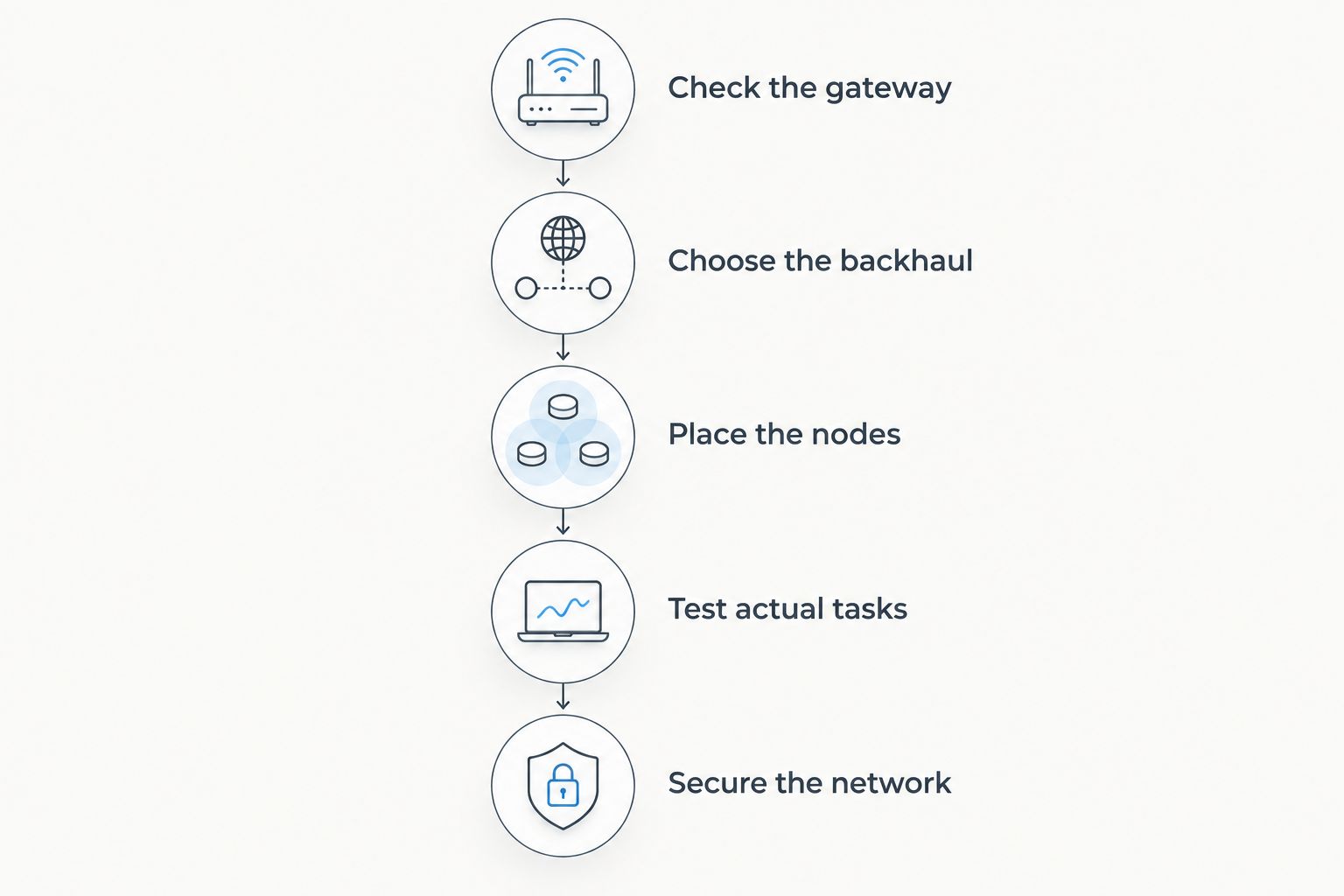
Hardware selection comes first, but placement and router configuration determine whether the installation addresses your original problem. Follow this sequence before adding more nodes.
Check the gateway
Identify the device connected to your internet service and establish whether it also acts as a router. Decide which device will manage routing. If your provider's gateway remains the router, check the mesh system's access-point or bridge-mode instructions rather than leaving two routing layers in place unintentionally.
Choose the backhaul
Use Ethernet backhaul where suitable cabling exists. When the connection must be wireless, choose node locations based on their connection to the main unit, not just their proximity to the dead zone.
Place the nodes
Start with accessible, open locations rather than cupboards or positions behind large metal objects. Keep the layout simple enough to evaluate before adding another unit.
Test actual tasks
Test where you work, stream, or make calls. Check more than a speed-test result: a video call that stays connected matters more than a headline number measured beside the main router.
Secure the network
Install firmware updates and set appropriate administrative and Wi-Fi credentials. Use a guest network when visitors need internet access without access to your main household network.
Change one part of the installation at a time. If you move several nodes and change settings together, you lose a clear explanation of what fixed—or worsened—the connection.
How these recommendations are ranked
These recommendations prioritize setup method, backhaul design, Ethernet connections, and management controls. They are a selection guide based on product capabilities, not a measured speed ranking or a claim of hands-on testing.
The eero 6+ takes the default slot for app-led simplicity. TP-Link Deco X55, NETGEAR Orbi RBK852, and ASUS ZenWiFi XT8 each earn a separate recommendation for a specific installation requirement. Advertised coverage alone does not decide the order.
Which mesh Wi-Fi system should you choose?
Choose eero 6+ if you want a straightforward default and app-based management suits you. Choose TP-Link Deco X55 when wired rooms and port allocation drive the decision. Pick NETGEAR Orbi RBK852 for dedicated wireless backhaul, or ASUS ZenWiFi XT8 for browser-based configuration.
Tabler's Computer Repair is a local IT support option for households that want help with home network setup in North County San Diego and the Inland Empire. Separate the equipment decision from the support decision: buying another mesh unit is not the first step when the existing layout has not been checked.
FAQ
What's the best mesh Wi-Fi system for home network setup in 2026?
The eero 6+ is the default recommendation here for straightforward app-led setup. Choose TP-Link Deco X55 for wired rooms, NETGEAR Orbi RBK852 for dedicated wireless backhaul, or ASUS ZenWiFi XT8 for browser-based controls.
Is mesh Wi-Fi better than a single router?
Mesh Wi-Fi suits homes that need access points in multiple locations. A single router remains a valid choice when it already provides reliable coverage where you use your devices.
Do mesh Wi-Fi nodes need Ethernet cables?
Mesh nodes do not require Ethernet backhaul when the system supports wireless backhaul. Ethernet provides a wired alternative and avoids relying on the wireless connection between nodes.
Where should I put a mesh Wi-Fi satellite?
Place a wireless satellite where it receives a useful connection from the main unit and can extend coverage toward the problem area. Putting it deep inside an existing dead zone leaves its upstream connection weak.
Can I keep my internet provider's router with a mesh system?
You can keep the provider's router when the mesh system supports an appropriate access-point or bridge configuration. Follow the equipment instructions and decide which device will handle routing.
Does Wi-Fi 6 include the 6 GHz band?
Wi-Fi 6 does not by itself mean support for the 6 GHz band. The eero 6+, TP-Link Deco X55, NETGEAR Orbi RBK852, and ASUS ZenWiFi XT8 use 2.4 GHz and 5 GHz.
Who can help with home network setup in North County San Diego?
Tabler's Computer Repair provides remote and on-site IT support for homes in North County San Diego and the Inland Empire. Its services also include computer repair and recurring maintenance plans.
One last thing
Your phone helps choose when it changes access points; a mesh system does not guarantee an instant handoff in every situation. Before calling your 2026 installation finished, walk through the problem rooms during a real call and check whether the connection holds.