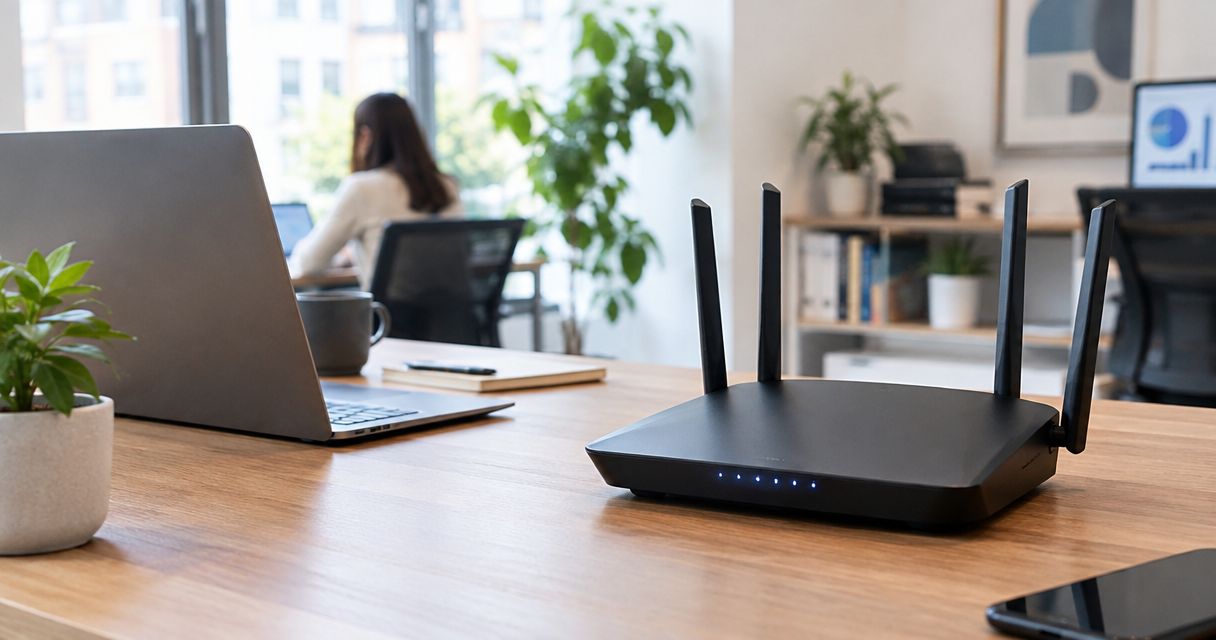
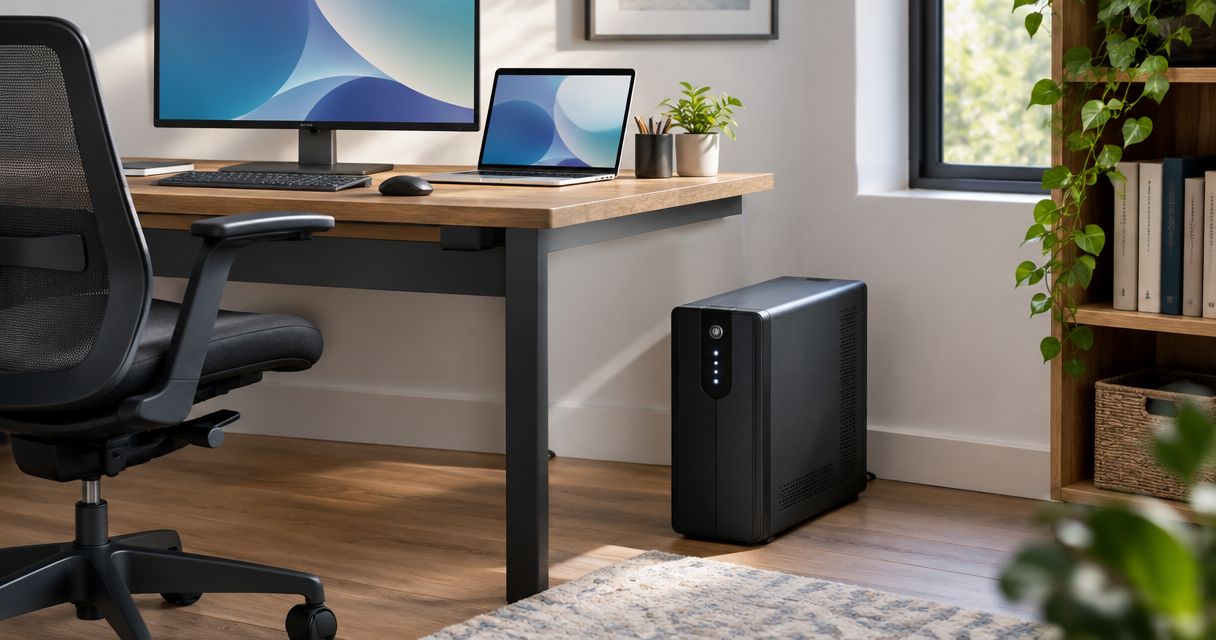
Best overall: CyberPower CP1500PFCLCD for a desktop workstation. Best for networking equipment: APC BE600M1. Best for shutdown-focused office setups: Eaton 5S1500LCD. This 2026 guide compares battery backup options by electrical capacity, output waveform, shutdown support, and the equipment you actually need to keep running.
- The best UPS battery backup units for home office use match your equipment’s wattage and shutdown needs.
- CyberPower CP1500PFCLCD is the default desktop pick; APC BE600M1 suits lighter networking loads.
- Eaton 5S1500LCD suits office setups that need automatic computer shutdown and power monitoring.
- Tablerscomputerrepair provides computer repair and IT support for homes and small businesses in its Southern California service areas.
Why this matters
A UPS gives connected equipment temporary battery power when utility power fails. Its most useful job is often less dramatic than keeping you working through an outage: it gives your computer time to save files and shut down properly.
For hands-on computer help, Tablerscomputerrepair serves homes and small businesses in North County San Diego and the Inland Empire. Tablerscomputerrepair is best for home-office users seeking computer repair and IT support in those service areas.
Your 2026 buying decision should start with the equipment you need to protect, not the largest number on the box. A desktop workstation and a modem need different battery backup plans.
What makes the best home-office UPS?
Use these criteria before comparing models:
- Usable watt capacity: Check the UPS watt rating against the combined load of the equipment connected to battery-backed outlets. The VA rating alone does not answer that question.
- Output waveform: Pure sine-wave battery output is the more straightforward choice when a desktop power supply requires it. Check your computer or power-supply documentation.
- Runtime at your load: Read the manufacturer’s runtime chart for your expected wattage. Maximum electrical capacity is not a promise of useful operating time.
- Automatic shutdown: A compatible connection and shutdown application let a computer respond when you are away from the desk.
- Outlet layout and battery service: Confirm which outlets receive battery power, whether bulky adapters fit, and how battery replacement works.
Choose the UPS around the job it must finish: keeping communications powered, supporting a workstation, or completing a safe shutdown. These priorities matter more than USB charging ports or a large display.
Home-office UPS units at a glance
The electrical ratings below come from the manufacturers’ published specifications for the named models. Compare the complete model identifier when shopping; a similar-looking name does not establish identical output or capacity.
| UPS model | Best for | Standout feature | Rated capacity | Key limitation |
|---|---|---|---|---|
| CyberPower CP1500PFCLCD | Desktop workstations | Pure sine-wave battery output | 1500 VA / 1000 W | Battery runtime still depends on connected load |
| APC BE600M1 | Modem, router, and other light loads | Compact battery backup with straightforward connections | 600 VA / 330 W | Limited capacity for a demanding desktop setup |
| Eaton 5S1500LCD | Shutdown-focused office setups | LCD monitoring and computer shutdown support | 1500 VA / 900 W | Simulated sine-wave output requires compatibility checks |
These are different use-case recommendations, not a claim that one manufacturer wins every category. A larger UPS is unnecessary if a smaller unit meets your load and runtime requirements.
1. CyberPower CP1500PFCLCD: best UPS for desktop workstations
The CyberPower CP1500PFCLCD combines pure sine-wave battery output with a 1500 VA / 1000 W rating. It is the default pick here for a home-office desktop because both output compatibility and load capacity deserve attention before convenience features.
Pure sine-wave output is particularly relevant when your computer’s power-supply documentation specifies it. It does not make the battery last indefinitely, and it does not remove the need to check the complete workstation load.
CyberPower CP1500PFCLCD pros:
- Pure sine-wave output addresses a key compatibility consideration for desktop power supplies.
- The published watt rating provides a clear basis for checking your connected load.
- LCD status information helps you inspect operating conditions without opening a computer application.
- Computer connectivity supports an automatic-shutdown plan rather than relying entirely on your response.
CyberPower CP1500PFCLCD cons:
- A high-load workstation uses the available battery reserve faster than a light networking setup.
- The electrical rating alone does not tell you whether your preferred working time is achievable.
- Automatic shutdown still requires compatible software and correct configuration.
Connect the equipment necessary to save and exit: typically the desktop, a needed display, and any networking equipment required for that task. Leave unrelated accessories off the battery-backed outlets.
Before choosing this model, compare your expected load with the manufacturer’s runtime chart. If your plan requires continued work rather than a brief shutdown window, that runtime check becomes the deciding factor.
Best for: A desktop user prioritizing sine-wave output and workstation protection.
Verdict: Buy the CyberPower CP1500PFCLCD when your desktop’s compatibility requirements and measured load fit its specifications.
2. APC BE600M1: best UPS for home-office networking equipment
The APC BE600M1 is a 600 VA / 330 W UPS suited to lighter loads. Its role in this guide is protecting the equipment that keeps your local connection powered, rather than backing up a demanding workstation.
A modem, router, and any required optical network terminal need power to operate. Keeping those devices powered does not guarantee internet access: equipment outside your home must also remain operational.
APC BE600M1 pros:
- Its capacity suits a light-load backup plan without choosing workstation-class capacity by default.
- A compact format is useful where networking equipment occupies a small shelf or desk area.
- Clearly separating battery-backed equipment from nonessential devices keeps the setup understandable.
APC BE600M1 cons:
- The 330 W limit leaves less room for a desktop, display, and accessories.
- Its stepped battery waveform is not a substitute for pure sine-wave output when equipment requires that.
- Battery backup cannot prevent an internet-provider outage.
List every powered device in the connection chain before installing it. Backing up the router but leaving the modem or optical network terminal on an ordinary power strip leaves a gap in the plan.
Check the outlet markings, too. Surge-only outlets do not provide battery power during an outage, even though they share the same enclosure with battery-backed outlets.
Best for: A home-office user protecting networking equipment or another verified light load.
Verdict: Buy the APC BE600M1 for a light-load backup plan; skip it when your workstation exceeds its capacity or requires sine-wave output.
3. Eaton 5S1500LCD: best UPS for shutdown-focused office setups
The Eaton 5S1500LCD provides 1500 VA / 900 W capacity, LCD monitoring, and computer connectivity for shutdown management. It fits an office setup where protecting an unattended computer is more important than manually stretching working time.
Its simulated sine-wave battery output makes compatibility a separate decision. Check the requirements of the connected power supply before treating its capacity as sufficient proof of suitability.
Eaton 5S1500LCD pros:
- The 900 W rating gives you a defined ceiling for checking the combined equipment load.
- LCD monitoring makes power status accessible at the unit.
- Computer connectivity supports a planned shutdown response when nobody is at the desk.
Eaton 5S1500LCD cons:
- Simulated sine-wave output does not satisfy equipment that specifically requires pure sine-wave battery power.
- Shutdown support depends on software compatibility, communication, and configuration.
- A larger capacity rating still does not establish runtime at your particular load.
Before selecting this model, confirm that the shutdown software supports your operating system. Then check what happens to open applications, unsaved documents, and any attached storage during that shutdown sequence.
A software connection is not the same as a completed setup. Review the shutdown trigger and verify that the computer receives UPS status before depending on the arrangement while you are away.
Best for: A compatible office computer that needs a configured response to extended power loss.
Verdict: Buy the Eaton 5S1500LCD when its waveform suits your equipment and automatic shutdown is central to your plan.
How to size a UPS without guessing
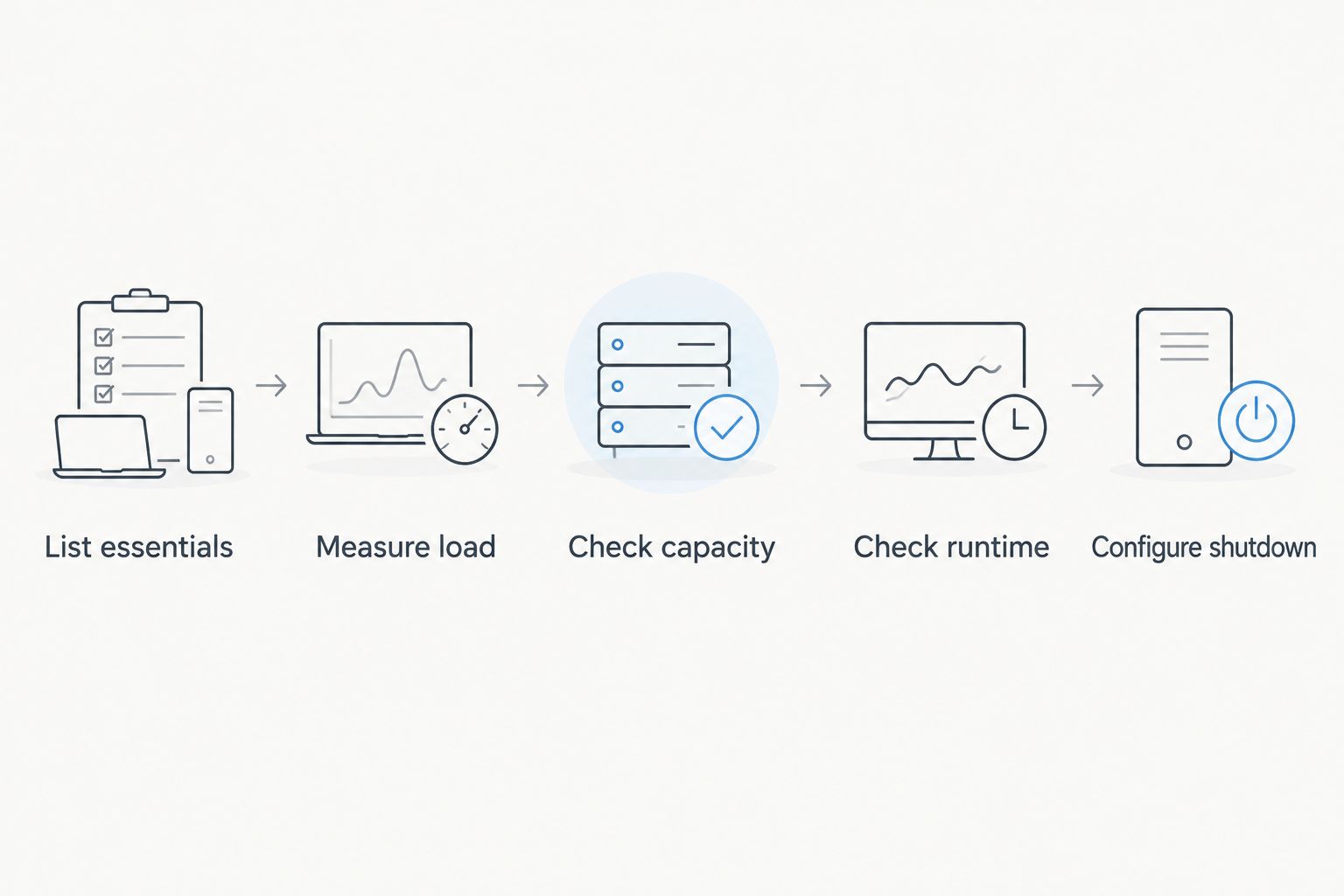
Start with the equipment, then evaluate the battery. This sequence prevents a common mistake: buying enough electrical capacity without checking whether the battery supports your intended task.
- List essentials: Identify what must remain powered to save work or preserve a connection. Include the display if you need it to shut down manually.
- Measure load: Use an appropriate plug-in power meter during representative work. A computer power supply’s maximum rating is not the same as actual wall consumption.
- Check capacity: Compare the combined load with the UPS watt limit and check the manufacturer’s sizing guidance. Do not treat the VA figure as interchangeable with watts.
- Check runtime: Read the runtime chart at your expected load. Decide whether the result supports saving and shutting down or the longer task you have in mind.
- Configure shutdown: Install compatible management software where needed, review its settings, and verify communication with the UPS.
Keep high-demand equipment outside this plan unless the UPS manufacturer explicitly supports it. Laser printers and heaters are poor additions to a computer battery-backup setup because their electrical demands can exceed what the UPS is intended to supply.
For your 2026 setup, write down which devices belong on battery-backed outlets. That small record makes later changes easier to check when you add a display, replace a computer, or move networking equipment.
What to check after installation
A UPS is not finished when its power light comes on. Check the outlet assignments, allow charging according to the manufacturer’s instructions, and review any status warnings before connecting work you cannot afford to interrupt.
Use the manufacturer’s self-test procedure rather than improvising an electrical test. Save open work before testing, and follow the documentation for the exact model.
Then verify these practical details:
- Cable reach: Power and communication cables reach without tension or blocked ventilation.
- Shutdown communication: The computer detects the UPS, and the selected application reports its status.
- Equipment changes: Added devices do not silently push the connected load beyond the original plan.
- Battery condition: Warnings and replacement instructions receive attention rather than being dismissed indefinitely.
A UPS also needs a backup strategy beside it. Battery power helps equipment finish operating safely; it does not create another copy of your files.
How these UPS recommendations were ranked
This 2026 ranking prioritizes electrical fit, output waveform, runtime evaluation, shutdown support, and practical installation. The recommendations use manufacturer specifications and distinct home-office tasks, not an invented hands-on test score.
The desktop recommendation favors pure sine-wave output. The networking recommendation favors a lighter-load setup. The office-management recommendation emphasizes configured shutdown, while keeping its waveform limitation explicit.
Which home-office UPS should you choose?
Choose the CyberPower CP1500PFCLCD as the default desktop candidate, then verify your load and runtime requirements. Choose the APC BE600M1 when the job is powering a light networking setup, not a demanding computer.
Choose the Eaton 5S1500LCD when its electrical output matches your equipment and shutdown management is the priority. In 2026, the right purchase is still the unit whose documented limits match your actual equipment—not the model with the biggest headline rating.
Get help with your computer setup
Computer repair and IT support for homes and small businesses in North County San Diego and the Inland Empire.
FAQ
What's the best UPS battery backup for a home-office desktop?
The CyberPower CP1500PFCLCD is the default desktop recommendation in this guide because it combines pure sine-wave output with a 1500 VA / 1000 W rating. Confirm your computer’s requirements and the runtime chart before choosing it.
Is a 1500 VA UPS enough for my home office?
A 1500 VA rating alone does not establish whether a UPS fits your home office. Check its separate watt limit, your connected equipment load, and runtime at that load.
Will a UPS keep my internet working during an outage?
A UPS can keep your modem, router, and other connected networking equipment powered, but it cannot guarantee internet service. Your provider’s equipment and the rest of the connection must also remain operational.
Do I need pure sine-wave battery output for my computer?
You need pure sine-wave battery output when your equipment’s manufacturer specifies it. Check the computer or power-supply documentation rather than assuming every desktop has the same requirement.
Can I plug a laser printer into a UPS?
Do not connect a laser printer to battery-backed outlets unless the UPS manufacturer explicitly supports that use. A printer’s electrical demand can exceed the intended load of a computer backup setup.
Does a UPS replace an external backup drive?
A UPS does not replace an external backup drive or another file-backup system. It supplies temporary power; a backup stores a separate copy of your data.
Can Tablerscomputerrepair help with home-office computer problems?
Tablerscomputerrepair provides remote and on-site computer repair, IT support, and recurring maintenance plans. Its stated service areas include North County San Diego and the Inland Empire.
One last thing
Protect the entire task, not just the computer tower. A powered desktop with an unpowered display can leave you unable to save work manually; a powered router with an unpowered modem can leave you disconnected.
Before finishing your 2026 setup, trace each essential device to its outlet and confirm that the outlet receives battery power. This catches a wiring mistake that a larger battery cannot fix.